
Download Talgg – AI‑Powered Language Learning, Free & Secure
Overview
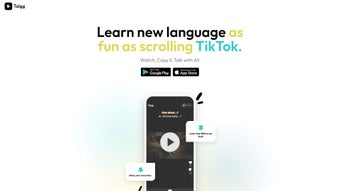
Talgg is an innovative AI‑driven web application that reimagines how we learn new languages. By borrowing the endless‑scrolling, short‑video format of TikTok, Talgg delivers bite‑sized lessons that keep learners glued to the screen while absorbing authentic language content. The platform blends entertainment with rigorous pedagogy, offering a gamified experience that adapts in real time to each user’s performance.
Whether you’re a complete beginner or looking to polish advanced skills, Talgg’s personalized engine tailors video lessons, quizzes, and interactive exercises to match your current proficiency and learning goals. The extensive library covers dozens of languages, from widely spoken tongues like Spanish and Mandarin to niche dialects, ensuring a rich immersion environment. Beyond passive watching, Talgg encourages active participation through speaking drills, listening comprehension, reading challenges, and writing prompts, delivering a comprehensive skill set.
Social features let learners connect with peers for language exchange, fostering community support and motivation. The AI continuously analyses your responses, identifies weak spots, and reshapes the curriculum, guaranteeing that every minute spent on Talgg translates into measurable progress. In short, Talgg is a secure, free‑to‑start platform that transforms language acquisition from a chore into an enjoyable, efficient habit.
Its browser‑based design eliminates the need for heavy installations, while end‑to‑end encryption safeguards personal data, making it a trustworthy choice for students, travelers, and professionals alike.
Key Features and How to Install Talgg
Talgg’s power lies in a combination of cutting‑edge technology and user‑centric design. Below you’ll find a detailed rundown of its most compelling capabilities, followed by a step‑by‑step guide to get you up and running in minutes. Each feature has been engineered to maximize retention, keep motivation high, and provide measurable outcomes.
- Short‑Form Video Lessons: Scroll through 15‑ to 60‑second clips that teach vocabulary, grammar, and cultural nuances in a format that feels like social media entertainment.
- AI‑Personalized Pathways: Adaptive algorithms adjust difficulty and content based on real‑time performance, ensuring you never waste time on material that’s too easy or too hard.
- Gamified Progress System: Earn points, badges, and streaks to stay motivated; leaderboards add a friendly competitive edge.
- Comprehensive Skill Coverage: Integrated listening, speaking, reading, and writing exercises after each video create a balanced learning experience.
- Interactive Quizzes & Voice Recognition: Immediate feedback on pronunciation and comprehension helps you correct mistakes on the spot.
- Social Learning Hub: Join language‑specific groups, practice with peers, and receive community feedback, turning solitary study into collaborative growth.
- Extensive Language Library: Over 30 languages with regular updates and new content releases keep the curriculum fresh and relevant.
- Cross‑Platform Accessibility: The web‑based interface works on Windows, macOS, Android, and iOS browsers without the need for separate apps.
- Secure Data Handling: End‑to‑end encryption protects user profiles and progress data, complying with GDPR and CCPA standards.
- Free Tier with Optional Premium Upgrade: Access core lessons for free; upgrade for offline mode, advanced analytics, and exclusive masterclass videos.
Installation & Usage Instructions
Getting started with Talgg is straightforward and requires no heavy software download. Follow these steps to launch your language journey:
Step 1 – Access the Platform
Open any modern web browser (Chrome, Edge, Firefox, Safari) and navigate to www.talgg.com. The site automatically detects your device and loads an optimized interface that works on desktops, tablets, and smartphones alike.
Step 2 – Create Your Account
Click “Sign Up” and choose to register with an email address, Google, or Apple ID. After confirming your email, you’ll be prompted to select a target language and indicate your current proficiency (Beginner, Intermediate, Advanced). This information seeds the AI engine and allows it to generate a customized learning path from the first moment.
Step 3 – Set Learning Preferences
In the “Preferences” panel you can adjust session length (5‑30 minutes), notification cadence, and whether you prefer video‑only or video‑plus‑exercise modes. These settings help the platform match your schedule and learning style, ensuring a comfortable yet challenging experience.
Step 4 – Start the First Scroll
The home feed presents a continuous stream of short videos. Swipe up to move to the next lesson. Each clip ends with an interactive prompt—choose the correct translation, repeat a phrase, or type a sentence. Immediate feedback lets you correct mistakes on the spot, reinforcing memory retention.
Step 5 – Track Progress & Earn Rewards
Visit the “Dashboard” to view daily streaks, accumulated points, and mastery levels per skill. The AI generates a personalized weekly report highlighting strengths, areas for improvement, and suggested lesson paths. This data‑driven insight keeps you focused on the most impactful study activities.
Optional Premium Features
If you decide to upgrade, you can download lessons for offline study, access advanced analytics that break down pronunciation accuracy by phoneme, and unlock exclusive masterclass videos featuring native speakers. Premium activation is handled via the “Upgrade” button, with secure payment processing and a 14‑day money‑back guarantee.
Compatibility, Pros & Cons, and Frequently Asked Questions
Compatibility
Talgg is a browser‑based solution, meaning it runs seamlessly on Windows 10/11, macOS Catalina and later, as well as Android 8+ and iOS 13+. No additional plugins are required; the platform leverages HTML5, CSS3, and WebRTC for voice capture, ensuring consistent performance across devices. Whether you’re on a high‑end laptop or a modest tablet, Talgg adapts its video bitrate to provide smooth playback without sacrificing quality.
Pros
- Engaging short‑video format keeps learners motivated and reduces cognitive overload.
- AI‑driven personalization maximizes study efficiency by focusing on weak areas.
- Comprehensive skill coverage (listening, speaking, reading, writing) in every lesson.
- Generous free tier offers unlimited core content for casual learners.
- Cross‑platform accessibility eliminates the need for separate native apps.
- Robust community features encourage peer practice and cultural exchange.
Cons
- Heavy reliance on internet connectivity for real‑time streaming; offline mode is premium‑only.
- Voice recognition may struggle with strong regional accents during early stages.
- Premium upgrade required for advanced analytics and offline downloads.
- Limited deep‑dive grammar explanations compared to traditional textbook courses.
FAQ
-
Is Talgg really free to use?
Yes, Talgg offers a robust free tier that includes unlimited access to short video lessons and basic quizzes. Premium features such as offline downloads, advanced analytics, and exclusive masterclasses are optional and require a subscription.
-
How does the AI personalize my learning path?
After each interaction, the AI evaluates accuracy, response time, and difficulty level. It then adjusts upcoming videos, exercises, and review cycles to focus on weak areas while reinforcing strengths, creating a truly adaptive curriculum.
-
Can I practice speaking with native speakers?
Through the Social Learning Hub, you can join language‑exchange groups, schedule voice‑chat sessions, and receive feedback from native speakers who volunteer as community mentors.
-
What data does Talgg collect, and is it safe?
Talgg stores only the data necessary for progress tracking—lesson completion, quiz scores, and voice recordings for pronunciation analysis. All data is encrypted in transit and at rest, complying with GDPR and CCPA standards.
-
Do I need a powerful computer to run Talgg?
No special hardware is required. Talgg runs smoothly on standard laptops, tablets, and smartphones. The only prerequisite is a modern browser with JavaScript enabled.
Conclusion – Start Your Language Journey with Talgg Today
Talgg successfully marries the addictive nature of short‑form video with the rigor of a full‑featured language curriculum. Its AI‑powered personalization ensures that every second you spend scrolling translates into concrete skill gains, while the gamified rewards keep motivation high. The platform’s cross‑device compatibility means you can learn on the go, and the vibrant community adds a social dimension that many traditional apps lack. Although an internet connection is required for the free tier and the voice recognition may need fine‑tuning for heavy accents, these minor drawbacks are outweighed by the engaging learning experience and the wealth of free content available. Whether you’re aiming to travel, boost your career, or simply explore a new culture, Talgg provides a secure, scalable, and enjoyable pathway to fluency.
Ready to transform how you learn languages? Download Talgg now, create your free account, and start scrolling your way to fluency. For those who want offline power and deeper analytics, the premium upgrade is just a click away. Embrace the future of language education—one swipe at a time.
Talgg delivers a fresh, engaging approach to language learning that feels more like entertainment than study. Its AI personalization, comprehensive skill coverage, and community features make it a standout choice for learners of all levels.
Pros:
- Highly engaging short‑video format
- Effective AI‑driven personalization
- Free core content
- Robust community support
Cons:
- Requires constant internet for free tier
- Voice recognition not perfect for all accents
- Premium needed for offline mode



.png)



